
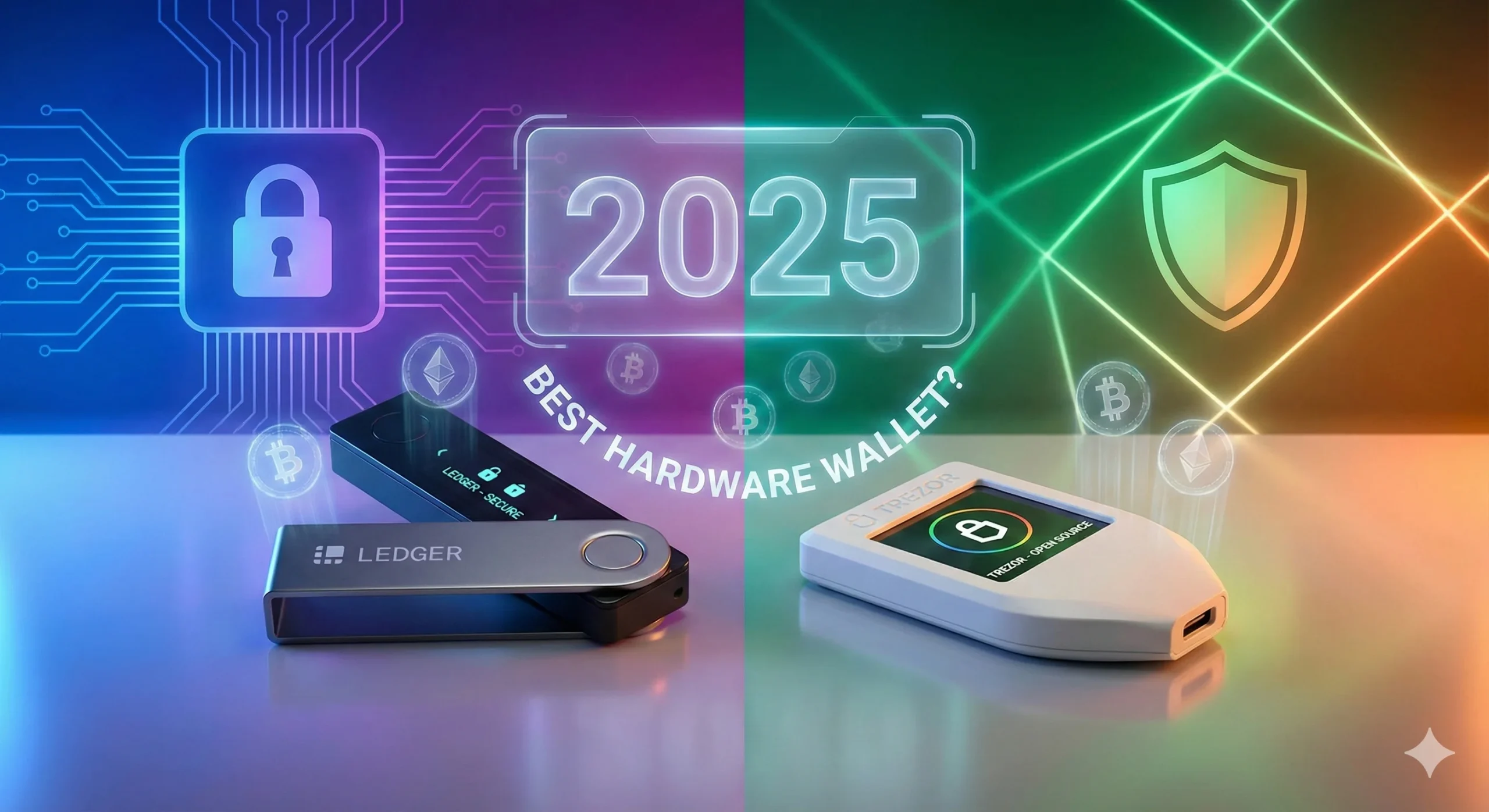
Ledger vs Trezor: Which Crypto Wallet Wins in 2025?
Ever lost your phone and panicked about all the stuff on it? Now imagine that with your crypto investments—yeah, that’s why a solid crypto wallet matters.
If you’re dipping your toes into cryptocurrencies or already holding some Bitcoin and Ethereum, you’ve probably heard about hardware wallets like Ledger and Trezor. These aren’t just fancy USB sticks; they’re your fortress against hackers and mishaps.
In this article, we’ll break down Ledger vs Trezor to help you pick the best crypto wallet for 2025. Whether you’re a complete beginner worried about security or an intermediate investor looking for better features, I’ve got you covered.
We’ll start with the basics of what a crypto wallet is, then dive into each brand’s strengths. Expect a head-to-head comparison, pros and cons, and even some personal stories from my years in the crypto space. By the end, you’ll know which one fits your needs—and I’ll throw in tips to get started safely.
Here’s a quick preview of what you’ll learn:
- Why hardware wallets beat software ones for long-term storage
- Key features of Ledger and Trezor models in 2025
- A detailed comparison on security, ease of use, and supported coins
- Real-world pros, cons, and user experiences
- How to choose based on your budget and crypto goals
- Answers to common questions from beginners
For a fast answer: In 2025, Trezor edges out for open-source fans on a budget. However, Ledger wins for broader coin support and advanced features. Let’s get into it.
What Is a Crypto Wallet and Why Go Hardware?
Let’s start simple. A crypto wallet is basically your digital bank account for cryptocurrencies.
It holds your private keys—the secret codes that let you access and spend your coins. Without it, you’re locked out. But here’s the deal: not all wallets are created equal.
Understanding Wallet Types
Software wallets, like those on your phone or computer, are convenient for quick trades. Think MetaMask or Trust Wallet—they’re free and easy.
However, they’re “hot” wallets, always online, which makes them hacker bait. Remember the 2022 Ronin Network hack? Over $600 million was drained from a bridge linked to Axie Infinity due to compromised keys and infrastructure vulnerabilities. Yikes.
The Hardware Wallet Advantage
That’s where hardware wallets shine. In contrast, these are physical devices, like Ledger or Trezor, that keep your keys offline in “cold” storage.
As a result, they’re tougher for cybercriminals to crack since they’d need the actual device. In 2025, with crypto adoption booming—nearly 24% of adults in surveyed countries globally now own some crypto, according to Gemini’s State of Crypto report—hardware is a must for anyone with more than a few hundred bucks in crypto.
Why Ledger and Trezor Stand Out
Why choose between Ledger and Trezor? Simply put, they’re the top dogs in hardware wallets, trusted by millions.
Ledger boasts fancy Secure Element chips. Meanwhile, Trezor prides itself on open-source transparency and, in its newer Safe line, auditable secure elements as well. Both support thousands of coins, but they differ in design, price, and extras.
To kick things off, check out this quick comparison table:
| Feature | Ledger Nano X | Trezor Model T |
|---|---|---|
| Price | ~$149 | ~$129 |
| Bluetooth | Yes | No |
| Touchscreen | No | Yes |
| Supported Coins | 5,500+ | 1,000+ |
| Open-Source | Partial | Fully |
| Battery | Built-in | None |
Prices as of late 2025 from official stores; always check current pricing on the manufacturers’ sites.
This table shows Ledger’s edge in portability and coin variety. On the other hand, Trezor’s touchscreen might appeal to you if you hate buttons. I’ve used both, and trust me, that Bluetooth on Ledger makes mobile management a breeze.
Is Hardware Right for You?
But is hardware right for everyone? If you’re just testing with $50 in Bitcoin, maybe stick to a software crypto wallet first.
Starting small helps you learn without big risks. Nevertheless, once you scale up, hardware is non-negotiable. For more guidance on choosing the right wallet, check out our guide on why crypto wallets are essential over just using exchanges.
Additionally, if you’re curious about the differences between wallet types, our article comparing hardware vs software vs mobile Ethereum wallets provides excellent insights.
Pro Tip: Always buy hardware wallets directly from Ledger’s official store or Trezor’s official store, or through other officially listed partners. Counterfeit or tampered devices sold through random marketplaces have scammed people out of serious money—don’t be that statistic.
In short, hardware wallets like these protect your assets better than any app. Now, let’s look closer at Ledger.
Ledger Wallets: An Overview
Ledger has been around since 2014. By 2024, they had already sold over 7 million hardware devices worldwide, with a reputation for strong security and no known remote hacks of the wallets themselves. Consequently, the French-based company focuses on sleek, user-friendly hardware.
Ledger’s Product Lineup
The company’s flagship? The Ledger Nano X. However, don’t sleep on the more affordable Nano S Plus for budget folks or the premium Stax with its curved E-Ink touchscreen.
What sets Ledger apart is their Secure Element (SE) chip—think of it like the chip in your credit card, but for crypto. Furthermore, it’s certified to Common Criteria EAL5+ or higher, which means tamper-resistant protection. As a matter of fact, Ledger devices can manage over 5,500 cryptocurrencies and tokens, including major coins and NFTs, via the Ledger app ecosystem.
Setting Up Your Ledger
Setup is straightforward: plug it in, create a 24-word seed phrase (your backup), and you’re good. The Ledger app (previously known as Ledger Live) handles everything—buying, swapping, staking via integrated partners.
I remember my first Ledger in 2017. It felt like upgrading from a flip phone to a smartphone. Moreover, Bluetooth connectivity on the Nano X lets you manage on the go without cables.
The Recover Controversy
But it’s not all perfect. Unfortunately, Ledger faced backlash in 2023 over its optional Recover service. Some users saw it as a privacy risk because it involved sharding an encrypted recovery phrase with custodial partners. Nevertheless, the company has since reworked communication and controls around it. Still, this controversy highlights the ongoing open vs closed-source debate.
Ledger Pricing
Prices typically start around $79 for the Nano S Plus and go up to roughly $399 for the Stax, depending on region and promo. Worth it? If you value polish and broad support, absolutely.
Wrapping this up: Ledger feels premium, like driving a Tesla in the crypto wallet world. Next, Trezor’s turn.
Trezor Wallets: An Overview
Trezor, from Czech company SatoshiLabs, launched the first widely available hardware wallet in 2014. By 2025, they’re still champions of open-source philosophy—firmware, tooling, and, in newer lines, even the secure element architecture are designed to be auditable. The company’s latest flagship is the Trezor Safe 7. Meanwhile, the classic Model T remains a bestseller with its color touchscreen.
Trezor’s Evolution: From Open-Source to Secure Elements
Earlier generations like the Model One and Model T relied on open-source firmware and the host device’s security. Importantly, these models didn’t use a traditional closed Secure Element chip.
In contrast, newer Safe-series devices (Safe 3, Safe 5, and Safe 7) now add audited secure elements. The hardware includes the transparent TROPIC01 chip and an additional EAL6+ secure element in the Safe 7. Furthermore, the design keeps the stack verifiable and open to inspection.
Trezor supports thousands of coins and tokens across major networks. As a result, the company focuses on majors like BTC, ETH and a wide range of altcoins via integrations with third-party wallets.
Setting Up Your Trezor
Setup is similar: generate a seed, verify it, connect to the Trezor Suite app. On older models, there’s no Bluetooth; instead, you connect via USB-C. Additionally, the Model T’s touchscreen makes navigation intuitive. On the newer Safe 7, you get both a high-resolution touchscreen and wireless connectivity (Bluetooth plus battery). Therefore, you’re no longer tied to a cable.
I tried a Trezor during the 2021 bull run. The open-source vibe gave me peace of mind, like knowing exactly what’s in your food.
Security Incidents and Lessons
Overall, Trezor has had fewer brand controversies. However, a notable phishing incident occurred in 2022 after Mailchimp, a third-party email provider, was compromised. Attackers sent fake Trezor emails trying to steal recovery seeds. Importantly, it wasn’t a breach of Trezor devices themselves. Nevertheless, the incident served as a sharp reminder to double-check sender addresses and never type a seed phrase into a website.
Trezor Pricing
For pricing, older models like the Model One often sit around $49. In the mid-range, the Model T is priced at about $129. Meanwhile, the newer Safe 7 is at about $249 on preorder. Promotions and regional pricing can shift those numbers.
Bottom line: Trezor is like that reliable old friend—simple, trustworthy, and increasingly polished with the new Safe line.
Ledger vs Trezor: Feature Comparison
Time for the main event. Let’s pit these crypto wallets head-to-head across several key dimensions.
Design and Build Quality
Ledger devices are compact, with a metal swivel cover on models like the Nano X and Nano S Plus. In terms of design, the Stax has a minimalist slab-like design. Generally, these devices mostly use a small screen plus buttons (except Stax, which is full touchscreen). The Nano X and newer signers include Bluetooth.
Trezor’s older devices (Model One and Model T) are a bit bulkier with plastic shells. However, the Model T’s color touchscreen feels modern. In addition, the Safe 7 takes that further with a large high-res color touchscreen, haptic feedback and an aluminum body.
Connectivity Options
If you’re always on mobile, Ledger Nano X and the newer wireless Ledger signers make life easy. With Trezor, the newer Safe 7 also offers fully wireless connectivity. In contrast, the older models remain USB-only and are better suited to desk setups.
Battery Life and Portability
Ledger Nano X has a built-in battery lasting for days on light use. Similarly, Stax and newer signers also have rechargeable batteries. On the other hand, older Trezor devices like Model One and Model T have no internal battery and must stay plugged in. By comparison, the Safe 7 adds a built-in battery designed for longer-term portable use.
Apps and Integrations
Both brands have desktop/mobile companion apps. Ledger’s app feels more polished, with built-in flows for buying, swapping, and staking through partners. Trezor Suite is clean and increasingly feature-rich. Additionally, Trezor plays nicely with many Web3 dApps via integrations and WalletConnect. The Safe 7 is marketed as working with tens of thousands of dApps.
For heavy DeFi users, Ledger’s long-established dApp ecosystem and integrations are a big plus. Nevertheless, Trezor’s Safe 7 has narrowed that gap a lot. If you’re interested in exploring different wallet options, see our top crypto wallets for 2025.
Durability
Both brands offer sturdy devices. Ledger’s metal-feel designs give a premium impression. In comparison, Trezor’s Safe line moves to more robust materials such as aluminum bodies and Gorilla Glass. These are compared to the simpler plastic casing on older devices.
This comparison shows no clear “one-size-fits-all” winner; ultimately, it depends on your priorities.
Security Showdown: Which Is Safer?
Security is why we buy hardware wallets, right? Both keep keys offline, but their approaches differ significantly.
Ledger’s Security Approach
Ledger’s Secure Element hides private keys in a fortified chip, resistant to a wide range of physical attacks. The firmware and some parts of the stack are closed-source. Some argue this is a “black box.” However, the Secure Element is certified under rigorous standards and used in high-security products like payment cards and passports. Importantly, there is no confirmed case of a remote attacker extracting keys from a properly used Ledger device.
Trezor’s Security Philosophy
Trezor has historically leaned on fully open-source firmware, transparent design, and strong PIN/passphrase protection. Older devices like the Model One and Model T don’t use a traditional proprietary Secure Element. Instead, these models rely on a general-purpose microcontroller and physical access defenses. Newer Safe 5 and Safe 7 models combine that transparency with dedicated secure elements. For example, they include the auditable TROPIC01 chip and an additional EAL6+ secure element in the Safe 7. Furthermore, they also feature a “quantum-ready” architecture for future post-quantum firmware verification.
Past Security Incidents
Ledger suffered a customer data breach in 2020. Emails and contact info from their e-commerce database were leaked. However, wallet seed phrases and private keys stored on devices were not exposed. You can read more about their security practices on Ledger’s security page.
Trezor wasn’t breached directly. Nevertheless, users were targeted in a 2022 phishing campaign after Mailchimp was hacked. Such attacks led to realistic fake Trezor emails that tricked some people into revealing seeds. Trezor’s blog covers their security approach in detail.
Security Comparison: Two Different Philosophies
Analogy time: Ledger is like a bank vault built with proprietary locks that external labs stress-test. Meanwhile, Trezor is an auditable vault where the community can inspect much more of the design. In newer models, even the secure element behavior is designed to be transparent.
Enhancing Security with Passphrases
Pro Tip: Add a passphrase (sometimes called a “25th word”) for extra security. It’s like a hidden second wallet that only you know exists. Both Ledger and Trezor support this feature. For more security tips, check our Ethereum security guide.
Additionally, if you’re looking for comprehensive security tools, our guide to essential Ethereum tools every user must know covers wallet security and more.
Security Bottom Line
Key takeaway: both are vastly safer than leaving funds in hot wallets. Your choice comes down to how much you value open-source transparency versus certified secure elements and integrated features. It also depends on whether you pick older or newer models within each brand.
Ease of Use and Setup
Nobody wants a crypto wallet that’s a headache to use. Let’s talk usability and how each brand approaches the user experience.
Ledger Setup Process
Download the Ledger app. Connect the device via USB or Bluetooth (for Nano X / Stax). Write down your seed phrase, confirm it, set a PIN, and install apps for the coins you want. It usually takes about 10–15 minutes. The interface is intuitive, and there are step-by-step guides baked in. Bluetooth pairing can occasionally be finicky on some phones. Nevertheless, once connected, daily use is smooth.
Trezor Setup Process
On a Model One or Model T, you plug in via USB-C. Generate and confirm the seed, then use the Trezor Suite app. Additionally, the Model T’s touchscreen makes entering a PIN and confirming addresses pretty pleasant. On the newer Safe 7, you get wireless pairing plus a big touchscreen. Therefore, the flow feels closer to a modern gadget than a “nerdy” device.
Beginner-Friendly Features
For beginners, both are accessible. Ledger’s mobile-first design historically made it easier for on-the-go users. Meanwhile, Trezor’s newer Safe 7 brings its experience up to par for people who prefer a large color touchscreen and wireless use.
If you’re new to crypto wallets, our beginner’s guide to crypto wallets can help you understand the basics before choosing hardware.
What If You Lose Your Device?
Objection: “What if I lose it?”
Both ecosystems let you recover with your seed phrase on a new device. In fact, you can even use a different model from the same brand.
Warning: Store your seed offline, ideally in a durable backup (stainless-steel plates, etc.). Paper burns and ink fades.
Mini-conclusion: setup is beginner-friendly on both sides. Day-to-day use comes down to whether you prefer Ledger’s app-centric approach or Trezor’s combination of Suite + third-party integrations. On Safe 7, you get a more phone-like UX.
Supported Cryptocurrencies and Apps
Variety matters in crypto, especially as portfolios diversify.
Ledger’s Extensive Crypto Support
Ledger can manage over 5,500 coins and tokens via its app ecosystem and compatible third-party wallets. Between the app and external integrations, you can store everything. This includes Bitcoin and Ethereum. Moreover, it also covers obscure ERC-20s, Solana tokens, and plenty of NFTs.
Trezor’s Growing Crypto Ecosystem
Trezor supports “thousands of coins and tokens” across major networks. Major cryptocurrencies include Bitcoin, Ethereum, Solana, Base, Arbitrum, Cardano and more. Most support comes via integrated or external wallets. While the raw count may be lower than Ledger’s, it covers most mainstream assets and many popular DeFi tokens.
When Each Wallet Excels
If you’re deep into NFTs or long-tail DeFi chains, Ledger’s asset coverage and dApp integrations still generally have the edge. This is especially true for people juggling lots of smaller altcoins.
Personal take: As someone who’s held everything from DOGE to SOL, Ledger’s broader third-party support has saved me some annoying token transfers. On the other hand, if your portfolio is mostly BTC, ETH and a handful of majors, Trezor’s coin support is more than enough.
Getting Started with Crypto
If you’re ready to diversify, you can start by buying crypto on a reputable exchange like Coinbase or Binance. Once you’ve made your purchase, move funds into whichever hardware wallet you choose. For detailed instructions on purchasing Ethereum safely, check our comprehensive guide on how to buy Ethereum safely in 2025.
End note: Ledger for explorers who love breadth and integrations. Meanwhile, Trezor for purists and security-maxis who still want solid coverage. With Safe 7, you get growing Web3 connectivity.
Pricing and Value for Money
Budget time. Let’s break down what you’re actually paying for and which device offers the best value for your specific needs.
Current Pricing Overview
Approximate retail prices from official stores as of late 2025:
Ledger Nano S Plus starts at around $79, while the Nano X sits at approximately $149. For premium users, the Stax comes in at roughly $399.
On Trezor’s side, the Model One often costs around $49 (before discounts), with the Model T priced at about $129. Meanwhile, the newer Safe 7 is available on preorder for approximately $249.
Value Analysis by Price Point
Value? Trezor offers a very low entry point with the Model One if you mainly want simple Bitcoin/major-coin cold storage. The Model T and Safe 5/7 step that up with touchscreens. In the Safe line, you get secure elements and more modern UX. Ledger’s devices cost more at the top end. However, you’re paying for a highly integrated app ecosystem, premium materials and, on Stax, that curved E-Ink display and wireless charging.
Real-World Case Studies
Case study: A beginner I know picked up a Trezor Model One at entry-level pricing. He loaded it with about $5,000 in BTC and never needed more fancy features. For him, it was perfect. Another friend juggling 30+ altcoins and NFTs found the Nano X more convenient despite the higher cost. Ultimately, your needs determine the best value.
Money-Saving Tips
Pro Tip: Watch for official Black Friday and seasonal sales from both brands. Discounts of 20–40% on certain models aren’t unusual.
Don’t forget: this isn’t investment advice. Crypto is volatile, and hardware is just the vault, not the asset.
Pros and Cons: Real Talk
Here’s the quick reality check, broken down by brand.
Ledger Advantages and Disadvantages
Ledger Pros:
- Bluetooth mobility on Nano X and newer signers
- Massive coin and token support
- Polished, all-in-one app experience
- Premium build quality (especially Stax and newer devices)
Ledger Cons:
- Partially closed-source stack
- Top models (like Stax) are expensive
- Past controversy around the Recover feature hurt trust for some users
Trezor Advantages and Disadvantages
Trezor Pros:
- Strong open-source and transparency culture
- Touchscreen ease on Model T, Safe 5 and Safe 7
- Very affordable entry via Model One
- New Safe line adds secure elements and quantum-ready architecture while staying auditable
Trezor Cons:
- Older models lack Bluetooth and internal batteries (USB-only)
- Historically supported fewer long-tail coins than Ledger
- Ecosystem leans more on third-party wallets for some Web3 use cases
I’ve switched between them; both rock. Nevertheless, your choice should match how you actually use crypto, not just which logo looks cooler.
Which Crypto Wallet Should You Choose in 2025?
It boils down to your needs. Let me help you decide based on different user profiles.
Recommendations by User Type
Beginner with a simple BTC/ETH stack and tight budget?
Trezor Model One is a great low-cost starting point.
Beginner who wants a touchscreen and more intuitive UX?
Trezor Model T or Safe 5/7 give you that “mini-phone” feel.
Intermediate user with a diverse altcoin portfolio, NFTs, and DeFi activity?
Ledger Nano X or Stax still feel like the more versatile choice in 2025.
My Final Verdict for 2025
My opinion: For 2025’s bullish, highly experimental market, Ledger’s versatility and ecosystem make it the default recommendation for many active users. Meanwhile, Trezor’s Safe line is becoming the go-to for people who prioritize open, auditable security. Such users don’t mind using third-party wallets where needed.
Ready to Get Started?
Ready to buy crypto? You can start with a regulated exchange like Binance for low fees and high liquidity. After that, move your assets into cold storage.
For more crypto security tips, check out resources from CoinDesk, Cointelegraph, and the official documentation from Ethereum.org. Additionally, you can learn about setting up MetaMask safely as a complement to your hardware wallet.
Last Updated: November 25, 2025
FAQ
What is the safest crypto wallet?
Hardware wallets like Ledger and Trezor are among the safest options. Specifically, they keep your private keys offline and require physical confirmation for transactions.
Is it safe to share my wallet address?
Yes. Public addresses are meant to be shared, like your email. However, just never share your seed phrase or private keys.
What happens if I lose my hardware wallet?
As long as you still have your seed phrase (and passphrase, if you use one), you can recover funds. You can use a new device from the same brand—or even a compatible alternative.
How do I avoid crypto wallet scams?
Buy only from official sites or authorized resellers. Additionally, bookmark the correct URLs, enable phishing protection in your browser. Never type a seed phrase into a website or send it to anyone.
Which is better for beginners, Ledger or Trezor?
Both work well for newcomers. Trezor Model One is hard to beat on price. Meanwhile, Ledger Nano X is excellent for beginners who want strong mobile support from day one.
Does Ledger support more coins than Trezor?
Yes. Ledger currently supports over 5,500 assets when you include partner integrations. In contrast, Trezor supports thousands but generally fewer long-tail tokens.
Can I use these with mobile?
Ledger Nano X and newer signers connect via Bluetooth to mobile. Similarly, Trezor Safe 7 also offers wireless connectivity. However, older Trezors (Model One and Model T) use a USB cable and compatible apps.
What’s the difference in security?
Ledger uses closed but certified Secure Element chips and a proprietary OS. In contrast, Trezor emphasizes open-source firmware. With the Safe line, the company uses transparent secure elements and a quantum-ready design. Overall, both keep keys offline and are considered highly secure when used correctly.
How much do they cost?
Expect roughly $49–$249 for Trezor models and $79–$399 for Ledger devices. Prices depend on model and promotions.
Are hardware wallets worth it?
For holdings over about $1,000, a hardware wallet is usually a very reasonable insurance policy. It protects against exchange hacks, malware and self-inflicted hot-wallet disasters.
Conclusion
Wrapping up, Ledger and Trezor are both excellent crypto wallets for 2025. Ledger still takes the crown for most active, multi-chain users with its wide asset support and polished app ecosystem. Meanwhile, Trezor shines for open-source lovers and security-first users. The Safe 7 combines wireless convenience and verifiable secure elements.
Remember, the best wallet is the one you actually set up properly and use securely.
Your Next Steps
Here’s what to do next: decide what you need (budget, coins, mobile vs desktop). Purchase from official sites only, set everything up carefully, and test with a small amount first. Consider starting small—maybe buy some ETH or BTC on Coinbase or Binance. After purchasing, send it to your hardware wallet and get comfortable with the process.
When you’re serious about crypto security, explore multiple exchanges and learn basic security hygiene from resources like Ledger Academy and Trezor’s Wiki. Treat your seed phrase like the keys to your house and bank account combined.
This isn’t financial advice; do your research, manage your risk—and happy hodling!