
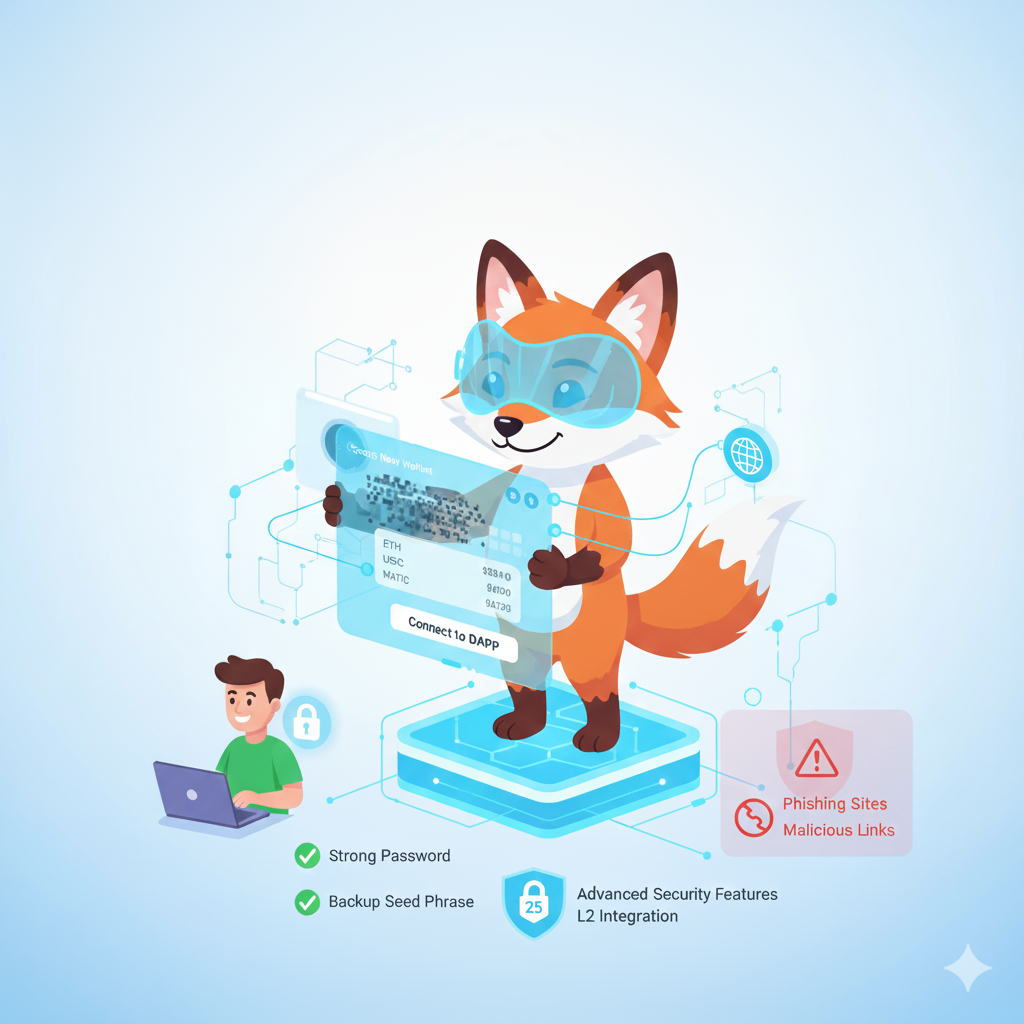
Introduction: Your Gateway to Web3
Welcome to the most comprehensive MetaMask wallet guide for 2025. Whether you’re new to cryptocurrency or exploring decentralized finance (DeFi), this tutorial will help you master MetaMask safely and confidently.
MetaMask has become the industry-standard wallet for accessing Ethereum, DeFi protocols, NFT marketplaces, and blockchain gaming. With over 30 million monthly active users worldwide, it’s trusted by beginners and crypto veterans alike.
For more wallet options, check out our comprehensive guide to the top 10 crypto wallets in 2025.
What Is MetaMask Wallet?
MetaMask is a non-custodial cryptocurrency wallet that gives you complete control over your digital assets. Unlike centralized exchanges like Coinbase or Binance, MetaMask ensures you hold your own private keys—meaning only you can access your funds.
Key MetaMask Features
Digital Asset Storage
First and foremost, MetaMask allows you to store cryptocurrencies including Ethereum (ETH), ERC-20 tokens, stablecoins like USDC, and NFTs. Moreover, it serves as a comprehensive asset management solution.
Web3 Gateway
Additionally, it acts as a Web3 gateway, providing seamless access to decentralized applications (dApps) such as Uniswap, Aave, and OpenSea. Learn more about essential Ethereum tools every user must know.
Platform Availability
Furthermore, MetaMask is cross-platform, available as a browser extension (Chrome, Firefox, Brave, Edge) and mobile app (iOS/Android). This ensures you can access your wallet anywhere.
Transparent Development
Finally, it’s completely open-source, continuously developed by ConsenSys since 2016, ensuring transparency and community-driven improvements.
Multi-Chain Support: MetaMask Goes Beyond Ethereum
One of the biggest 2025 updates is multichain functionality. Consequently, MetaMask now supports numerous blockchain networks beyond Ethereum.
Ethereum Layer 2 Networks
Scalability Solutions
To begin with, MetaMask integrates seamlessly with leading Layer 2 networks:
- Arbitrum: Offers fast, low-cost Ethereum scaling solutions
- Optimism: Provides another robust L2 alternative with similar benefits – learn more about how Optimism enables fast and cheap Ethereum transactions
- Polygon (MATIC): Currently the most popular sidechain for gaming and NFT projects
Advanced Technology
In addition, MetaMask supports cutting-edge blockchain technologies:
- zkSync: Leverages zero-knowledge rollup technology for enhanced privacy
- Base: Represents Coinbase’s official Layer 2 network integration
New Blockchain Support
Expanding Ecosystems
Furthermore, MetaMask has expanded beyond Ethereum entirely:
- Solana: Features native integration for accessing Solana DeFi and NFT ecosystems
- Bitcoin: Currently rolling out gradually starting Q3 2025, though availability remains region-dependent
Unified Wallet Experience
As a result, you can now manage assets across multiple blockchains without needing separate wallets like Phantom or Trust Wallet. Therefore, this significantly simplifies portfolio management for multi-chain investors. For a comparison of different wallet types, see our guide on the best Ethereum wallets in 2025: hardware vs software vs mobile.
Why Use MetaMask in 2025?
The cryptocurrency ecosystem has matured significantly over recent years. Consequently, MetaMask remains the top choice for several compelling reasons.
Access the Entire Web3 Ecosystem
Decentralized Finance (DeFi)
First, MetaMask provides direct access to leading DeFi platforms:
- Uniswap: Swap tokens instantly on the world’s largest DEX
- Compound: Lend your assets and earn competitive interest
- Curve Finance: Optimize stablecoin trading with minimal slippage
NFT Marketplaces
Moreover, you can seamlessly interact with top NFT marketplaces:
- OpenSea: Browse and purchase from the largest NFT collection
- Rarible: Discover emerging artists and unique collections
- LooksRare: Benefit from trader rewards and community governance
Staking Opportunities
Additionally, MetaMask enables staking to generate passive income:
- Lido Finance: Stake ETH while maintaining liquidity through stETH tokens
- Rocket Pool: Access decentralized staking with rETH rewards
Blockchain Gaming
Furthermore, the wallet supports popular gaming ecosystems:
- Axie Infinity: Play-to-earn with NFT creatures
- Gods Unchained: Collect and trade digital cards
2025 Game-Changing Features
Advanced Account Features
✅ Smart Accounts (EIP-7702): In particular, this enables advanced wallet features including batch transactions and delegated gas payments, significantly improving user experience.
Flexible Gas Payments
✅ ERC-4337 Paymasters: As a result, you can now pay gas fees in USDC or other tokens instead of being limited to ETH only.
Bitcoin Integration
✅ Native Bitcoin Support: Importantly, you can manage BTC directly in MetaMask, though availability is rolling out gradually across regions.
Solana Ecosystem Access
✅ Integrated Solana DeFi: Consequently, you can access the entire Solana ecosystem without requiring a separate wallet.
Native Stablecoin
✅ MetaMask USD (mUSD): Notably, this new stablecoin launched September 16, 2025, fully backed 1:1 with USD reserves, providing enhanced stability.
Crypto Spending Card
✅ MetaMask Card: Finally, spend crypto directly like traditional currency (currently available in UK, EU, select US states, Canada, and Latin America).
Complete MetaMask Setup Guide (Step-by-Step)
Step 1: Download MetaMask Safely
⚠️ Security Warning: Always download only from the official MetaMask website to avoid dangerous phishing scams.
If you’re new to crypto wallets, you might also want to explore our beginner’s guide to the top 10 crypto wallets for BTC, ETH, and multi-chain support.
For Browser Extension:
First, follow these simple steps:
- Navigate to metamask.io/download
- Next, select your preferred browser (Chrome, Firefox, Brave, or Edge)
- Then, add the extension from the official store
- Finally, verify that the developer is listed as “ConsenSys”
For Mobile App:
Alternatively, you can download the mobile version:
- iOS users: Download from the Apple App Store
- Android users: Download from the Google Play Store
Step 2: Create Your Wallet
Once downloaded, begin the wallet creation process:
- First, click “Create a new wallet”
- Subsequently, set a strong password (minimum 12 characters with uppercase, lowercase, numbers, and symbols)
- Afterward, read and accept the terms of service
Step 3: Backup Your Secret Recovery Phrase (SRP)
This represents the most critical step for maintaining wallet security. Therefore, pay close attention to the following instructions.
Understanding Your SRP
Your Secret Recovery Phrase serves as:
- The master key that controls your entire wallet
- The ONLY method to recover your wallet if device access is lost
- Something you should NEVER share with anyone under any circumstances
Secure Storage Methods
How to store it safely:
Additionally, consider these secure storage options:
- ✅ Write it down on paper and create multiple copies
- ✅ Store copies in a fireproof safe
- ✅ Consider metal backup solutions like Cryptosteel for long-term durability
However, avoid these dangerous practices:
- ❌ Never save in digital format (photos, cloud storage, email)
- ❌ Never share with anyone claiming to be “MetaMask support”
Step 4: Confirm Your Recovery Phrase
To ensure proper backup, MetaMask will ask you to confirm your SRP by selecting words in the correct order. Consequently, this verification step guarantees you’ve accurately recorded the phrase.
Step 5: Add Hardware Wallet (Optional but Recommended)
For maximum security, especially when managing large holdings, consider connecting a hardware wallet:
Leading Hardware Options
- Ledger Nano X/S Plus: Currently the industry-leading hardware wallet solution
- Trezor Model T/One: Another excellent open-source hardware security option
Importantly, hardware wallets keep your private keys completely offline, thereby protecting against malware and sophisticated phishing attacks.
How to Add Funds to MetaMask
Method 1: Transfer from Exchange
Step-by-Step Transfer Process
The most common approach involves transferring crypto from an exchange:
- Locate your address: First, open MetaMask and click your wallet name (starting with “0x…”) to copy it
- Initiate withdrawal: Next, go to your exchange (Coinbase, Binance, Kraken) and navigate to “Withdraw”
- Select currency: Then, choose Ethereum or your desired token
- Paste address: Afterward, paste your MetaMask address into the recipient field
- Choose network: Critically important: Select “Ethereum (ERC-20)” to avoid losing funds
- Review carefully: Finally, double-check ALL details before confirming
⚠️ Pro Tip: Test with a small amount first! Send $10-20 initially to verify everything works correctly before transferring larger sums.
Method 2: Buy Crypto Directly in MetaMask
Convenient Built-In Purchase
Alternatively, MetaMask now offers integrated purchasing through partners:
- Access portfolio: First, click “Buy” within MetaMask
- Select provider: Then, choose from PayPal, MoonPay, Transak, or Coinbase Pay
- Complete purchase: Subsequently, enter payment details and complete the transaction
However, be aware of the costs:
- Convenience fee: 2-5% additional cost compared to exchanges
- Best use case: Small purchases under $500
- Advantage: Instant access without exchange account requirements
Method 3: Receive from Another Wallet
Peer-to-Peer Transfer
Additionally, you can receive crypto directly from friends or family:
- Share address: Simply share your wallet address (the 42-character string beginning with “0x”)
- Verify network: Importantly, confirm the sender is using the correct network (Ethereum Mainnet for ETH)
- Wait for confirmation: Finally, transactions typically confirm within 1-15 minutes depending on gas fees
How to Use MetaMask: Essential Operations
Sending Cryptocurrency
Basic Transfer Steps
To send crypto to another wallet or exchange:
- Open MetaMask: First, access your wallet
- Click “Send”: Next, select the send button
- Enter details: Then, input the recipient’s address (or ENS domain like “vitalik.eth”)
- Specify amount: Subsequently, enter the amount you want to send
- Adjust gas fees: Optionally, customize your transaction speed:
- Low: Cheapest but slower (15+ minutes)
- Market: Standard speed (2-5 minutes)
- Aggressive: Fastest but expensive (30 seconds)
- Confirm transaction: Finally, review ALL details and click “Confirm”
💡 Pro Tip: Always send a small test amount first, especially to new addresses. Once confirmed on blockchain, transactions are irreversible!
Connecting to DeFi Apps (dApps)
Web3 Integration Guide
To interact with decentralized applications:
- Visit the dApp: First, navigate to the website (examples: uniswap.org, opensea.io)
- Initiate connection: Next, click “Connect Wallet”
- Select MetaMask: Then, choose MetaMask from the wallet options
- Approve connection: Subsequently, click “Connect” in the MetaMask popup
- Verify carefully: Critically important: ALWAYS verify the website URL is correct before connecting
⚠️ Security Alert: Phishing sites are extremely common! Therefore:
- Bookmark legitimate dApp sites
- Double-check URLs character-by-character
- Look for HTTPS padlock icon
- Never connect to suspicious sites from unsolicited messages
Token Swapping (DEX Trading)
Built-In Exchange Functionality
MetaMask includes integrated token swapping through MetaMask Swaps:
- Access swaps: First, click “Swap” in your wallet
- Select tokens: Then, choose the token you want to swap FROM and TO
- Enter amount: Subsequently, input your desired swap amount
- Review quote: Next, check:
- Exchange rate accuracy
- Price impact percentage
- Gas fee estimates
- Execute swap: Finally, click “Swap” and approve the transaction
However, consider these important factors:
- Fees: MetaMask charges 0.875% per swap
- Alternatives: Direct DEX use (Uniswap, Sushiswap) may offer better rates
- Best for: Quick, convenient swaps under $1,000
Viewing NFTs in MetaMask
NFT Collection Management
To see and manage your NFT collection:
Desktop/Extension:
- Enable NFTs: First, go to Settings > Security & Privacy
- Toggle detection: Next, turn on “Autodetect NFTs”
- Access collection: Then, click the “NFTs” tab to view your collection
Mobile App:
Alternatively, on mobile devices:
- Open app: First, launch MetaMask mobile
- Navigate to NFTs: Then, tap the “NFTs” tab
- Auto-detection: Subsequently, NFTs appear automatically when enabled
Moreover, you can:
- Send NFTs: Transfer to other wallets
- View on OpenSea: Click to see full marketplace details
- Check metadata: View properties and rarity information
MetaMask Security Best Practices (2025 Update)
Protect Your Secret Recovery Phrase
The Foundation of Security
Above all else, protecting your SRP is paramount. Therefore:
Never Share Your Recovery Phrase
❌ Absolutely NEVER provide your 12-word phrase to:
- Anyone claiming to be “MetaMask support”
- Any website or form requesting it
- Friends or family (even if they seem to need help)
- Any messaging app or email
Remember: MetaMask support will NEVER ask for your recovery phrase under any circumstances.
Offline Storage Only
✅ Instead, secure your SRP by:
- Writing it on paper immediately
- Creating multiple backup copies
- Storing in physically separate, secure locations
- Using fireproof safes or safety deposit boxes
- Considering metal backup solutions like Billfodl or Cryptosteel
Avoid Phishing Scams
Website Verification
🔍 Always verify website authenticity:
To protect against increasingly sophisticated phishing:
- Bookmark official sites and ONLY use bookmarks
- Manually type URLs rather than clicking links
- Double-check spelling character-by-character
- Look for HTTPS and padlock icons
- Use MetaMask’s built-in phishing detection
- Additionally, install browser extensions like MetaMask’s official phishing detector
Common Phishing Tactics
⚠️ Be extremely wary of:
Moreover, watch for these red flags:
- Urgent messages claiming “wallet compromise”
- Emails pretending to be from MetaMask
- Fake customer support accounts on Twitter/Discord
- Messages offering “exclusive” NFT drops or tokens
- Websites with subtle misspellings (metmask.io instead of metamask.io)
Use Hardware Wallets for Large Amounts
Cold Storage Security
🔐 For significant holdings (over $5,000), hardware wallets provide military-grade security:
Hardware Wallet Benefits
Specifically, hardware wallets offer:
- Private keys remain completely offline
- Physical confirmation required for every transaction
- Protection against sophisticated malware attacks
- Immunity to clipboard hijacking
- Peace of mind for long-term holdings
Integration Process
Furthermore, connecting hardware wallets is straightforward:
- Purchase from official manufacturer website only
- Connect to MetaMask following device instructions
- Approve transactions physically on the device
- Enjoy maximum security for your assets
Regular Software Updates
Maintain Current Versions
🔄 Keep MetaMask updated consistently:
In addition, regular updates provide:
- Latest security patches and fixes
- Protection against newly discovered vulnerabilities
- Access to newest features and improvements
- Enhanced performance optimizations
Therefore, enable automatic updates or check weekly for new versions.
Verify All Transaction Details
Pre-Confirmation Checklist
✅ Before clicking “Confirm” on any transaction, verify:
Most importantly, always check:
- Recipient address matches intended destination exactly
- Amount is correct (watch for decimal placement!)
- Network is accurate (Ethereum Mainnet vs. Layer 2)
- Gas fees are reasonable for current conditions
- Smart contract interactions seem legitimate
- Token permissions being granted are necessary
Consequently, taking an extra 30 seconds to review can save thousands of dollars.
Secure Network Connections
🔒 Secure your internet connection
Furthermore, protect your transactions by:
- Avoiding public Wi-Fi for all crypto transactions
- Using VPN services like NordVPN or ExpressVPN
- Additionally, enabling your device’s firewall
Advanced Security Measures
Regular Permission Audits
Revoke token approvals regularly:
To maintain optimal security:
- Periodically visit Revoke.cash or Etherscan Token Approvals
- Subsequently, remove permissions for dApps you no longer use
- Consequently, this prevents potential smart contract exploits
Address Poisoning Prevention
Watch for address poisoning scams:
Importantly, be aware that:
- Attackers sometimes send tiny amounts from similar-looking addresses
- Therefore, always verify the FULL address before sending any funds
- Moreover, use ENS domains when possible for added verification
Wallet Lock Settings
Enable wallet lock features:
Additionally, configure these protective measures:
- Set MetaMask to auto-lock after brief inactivity periods
- Use strong, unique device passwords
- Furthermore, enable biometric authentication on mobile devices
Two-Factor Authentication Limitations
Two-Factor Authentication (2FA):
However, understand that:
- ⚠️ MetaMask doesn’t have built-in 2FA functionality
- Instead, hardware wallets serve as physical 2FA
- Nevertheless, use 2FA on all connected exchange accounts
Advanced MetaMask Features
Adding Custom Networks
Connect to additional blockchains:
- Click network dropdown (usually shows “Ethereum Mainnet”)
- Select “Add Network”
- Enter network details:
- Polygon: Lower fees for NFTs and gaming
- Avalanche: Fast smart contract platform
- Fantom: High-speed DeFi ecosystem
Or use ChainList for one-click network additions.
MetaMask Snaps (Plugins)
Extend functionality with Snaps:
- Visit MetaMask Snaps
- Browse available plugins:
- Portfolio tracking tools
- Advanced security alerts
- Transaction simulation
- Multi-chain support extensions
- Install and configure
Portfolio Tracking
Monitor your entire crypto portfolio:
- Zapper: DeFi portfolio dashboard
- DeBank: Multi-chain portfolio tracker
- MetaMask Portfolio: Official tracking tool
Tax Reporting
Export transaction history for tax purposes:
- CoinTracker: Automated crypto tax software
- Koinly: Supports MetaMask CSV exports
- TaxBit: Enterprise-grade tax reporting
Connect MetaMask and automatically import transactions for accurate tax calculations.
MetaMask Frequently Asked Questions
Is MetaMask free to use?
Yes, MetaMask is completely free to download and use. You only pay gas fees (transaction costs) to the blockchain network validators. Gas fees vary based on network congestion—typically $1-50 on Ethereum, but much cheaper on Layer 2 networks like Arbitrum or Polygon (often under $0.10).
Can I recover my wallet if I lose my device?
Yes, but ONLY if you have your Secret Recovery Phrase. Download MetaMask on a new device, select “Import using Secret Recovery Phrase,” and enter your 12 words in correct order. Your wallet and all assets will be restored.
Without your SRP, recovery is impossible—even MetaMask support cannot help you.
Does MetaMask support Bitcoin now?
Bitcoin support is rolling out gradually throughout 2025. Availability depends on your region and MetaMask version. Check MetaMask’s official blog for the latest updates on Bitcoin integration.
How do I contact MetaMask support?
- Official Support: MetaMask Support Center
- Community Forum: MetaMask Community
- Twitter: @MetaMask
⚠️ Warning: MetaMask will NEVER contact you first. Beware of scammers impersonating support on social media.
What are gas fees and why do they vary?
Gas fees are payments to blockchain validators for processing transactions. They vary based on:
- Network congestion (high demand = higher fees)
- Transaction complexity
- Speed preference (faster = more expensive)
Check current gas prices at Etherscan Gas Tracker or ETH Gas Station.
Is MetaMask safe?
MetaMask is considered very safe when used correctly. It’s open-source, regularly audited, and developed by reputable company ConsenSys. However, security ultimately depends on YOU:
- Protecting your Secret Recovery Phrase
- Avoiding phishing websites
- Using hardware wallets for large amounts
- Following security best practices
Can I use MetaMask on multiple devices?
Yes! Import your wallet on any device using your Secret Recovery Phrase. Your wallet will sync automatically since everything is stored on the blockchain. However, settings and address book are stored locally and won’t transfer between devices.
What’s the difference between MetaMask and Coinbase?
- MetaMask: Non-custodial wallet (you control keys), access to all dApps, no account required
- Coinbase: Custodial exchange (Coinbase controls keys), easier for beginners, regulated, insured
MetaMask gives you more control and freedom; Coinbase offers more hand-holding and support.
Conclusion: Master Web3 with MetaMask
MetaMask remains the essential tool for exploring Web3 in 2025. Whether you’re trading on Uniswap, collecting NFTs on OpenSea, or earning yield through DeFi protocols, MetaMask is your gateway to the decentralized future.
Remember the golden rules:
- Protect your Secret Recovery Phrase above all else
- Use hardware wallets for significant holdings
- Always verify websites before connecting
- Start with small amounts to learn safely
- Stay informed through official channels
The Web3 revolution is here—and with MetaMask, you’re ready to participate safely and confidently.
Helpful Resources & External Links
Official MetaMask Links
Related Organizations
- ConsenSys: MetaMask developer
- Ethereum Foundation
- Web3 Foundation
Security Tools
- Revoke.cash: Revoke token approvals
- Etherscan: Ethereum blockchain explorer
- Chainlist: Network configuration tool
Hardware Wallets
DeFi Platforms
- Uniswap: Leading DEX
- Aave: Lending protocol
- Curve Finance: Stablecoin exchange
- Lido Finance: Liquid staking
NFT Marketplaces
Portfolio & Tax Tools
Learning Resources
Read also: Ethereum Security Guide.
📌 Disclaimer: This guide is for educational purposes only and does not constitute financial advice. Cryptocurrency investments carry significant risk. Always do your own research (DYOR) and never invest more than you can afford to lose. Past performance does not guarantee future results.